GSX Global Security Exchange Booth Displays
Atlanta Shows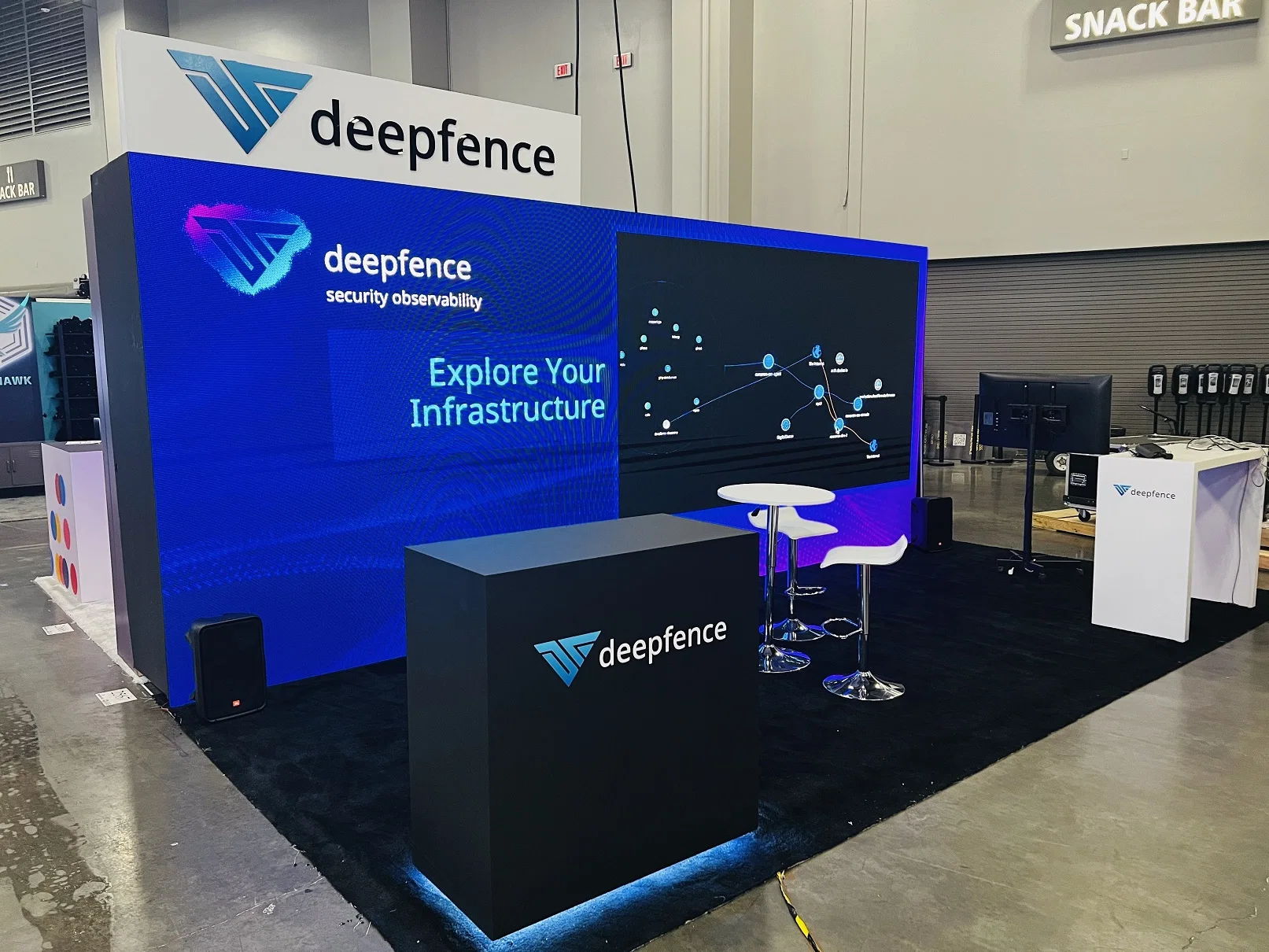
Displays for security technology exhibitors at GSX Global Security Exchange: camera masts, access control door mockups, live video walls and a full install.
Security buyers want to see systems working. A camera on a pedestal is a product; a camera feeding a live wall of video, with analytics flagging a person walking through a doorway, is a solution. For exhibitors at GSX Global Security Exchange, the booth often has to hold real hardware, show it running and give a security director somewhere to sit down and talk about a deployment.
A layout we use for access control makers is a 20 by 30 island with a working door frame mockup at one corner carrying a card reader, a turnstile and a camera, a camera mast at the opposite corner with several camera models mounted at different heights, a video wall on the central tower showing live feeds and analytics, and a meeting room at the back for deeper conversations.
Building the door mockup
An access control demo needs a real door. We build a framed wall section with a steel door, a frame drilled for hardware and enough wall around it to hide the wiring. Your team or your installer mounts the card reader, the lock and the door controller. The turnstile sits beside the door on a platform with a cable channel. Visitors badge in and walk through, and the event shows on the video wall.
- The door frame is built heavy enough to handle repeated opening and closing all show.
- Wiring runs inside the wall section to a controller cabinet at the back.
- The turnstile sits on a platform so cables pass underneath without a trip hazard.
- A small sign names each product on the door.
The door frame and wall section are built through our custom exhibit builds service.
Camera masts and the video wall
A camera mast is a vertical post or truss with cameras mounted at different heights and angles, each one aimed at a part of the booth or the aisle. We build the mast with mounting plates and a cable path inside, so cameras can be swapped between shows. The video wall on the tower shows the live feeds. We supply the mounting structure and coordinate with the AV partner who supplies and connects the screens. That wall is planned with AV partners under our LED wall and video integration service.
Network and power planning
Security demos run on a network. Cameras, readers, controllers and the video wall all need connections, and many run on power over ethernet from a switch in the controller cabinet. We draw a network and power plan with every device, its connection and where its power comes from. Every camera, reader and screen needs data and electrical service, which we order from the show and the building and pin to exact spots on the plan. Inside the booth, the network is your team's or your integrator's; we build the cabinet, the cable paths and the mounts it needs.
Meeting room for security directors
Security directors and integrators often want to talk about sites, threats and budgets in private. At the rear of the island goes a meeting room with fabric or hard walls, a door, seating for six around a table and a monitor for sharing screens. The room carries the brand graphics on its outside walls so it adds to the booth's presence. A second monitor inside can mirror one of the live camera feeds, so a director can see the system working while the conversation turns to a site plan. We size and place that room during trade show booth design.
What to send us
Give us the booth number and size, an inventory of each camera, reader, controller and screen in the demo, and a basic diagram of how the system connects. Tell us which demos must run live and which can run from recorded video, because a live demo needs a tested network drop and a recorded one only needs power. Add the number of staff and integrators working the booth and your artwork or brand guide. We turn that into a floor plan with every mount, drop and cable path marked.
Artwork and timing
Security graphics work best when they are calm and direct: the company name, a statement about what the company protects and product names at each demo. We print fabric graphics for the tower and meeting room and hard panels for the door mockup signs. Graphics for the tower and the room walls are approved and sent to print weeks ahead of move-in. Our build partners or your own vendors print them, and we handle the specs and the receiving.
Move-in, test and teardown
The crew lays carpet, builds the tower, door mockup, camera mast and meeting room and hangs the graphics. Power and network are connected. Your integrator mounts cameras and readers and brings the system online. Before opening, your lead and the install crew chief test it all together: each camera feed on the wall, each badge read at the door, each screen in the meeting room.
At close your integrator removes cameras and readers first. The install crew strips graphics, breaks down the structures and packs everything into labeled cases. Hardware goes into bags labeled by demo. Our installation and dismantle service follows that order on every security build.
Questions Exhibitors Ask
Can the door mockup be reused?
Yes. The door frame and wall section break down into a single crate and stand up again at your next show, fitted with the same hardware or new models.
Who connects the cameras and readers?
Your team or your integrator. We build the mounts, cable paths and cabinet and provide power and network drops.
What if the network drop fails during the show?
We plan a recorded video loop for the video wall and a local switch in the controller cabinet, so the door demo and cameras keep running inside the booth while the outside connection is restored.
What should we send first?
We need your booth number and space size, the demo hardware with its power and data needs, the system diagram and your brand files.
Send the show, venue and booth details
Call (404) 963-0416 or send the show, the hall and your booth number and we will plan the display, the install and the teardown.