ASEE Conference and Exposition Portable Displays
Atlanta Shows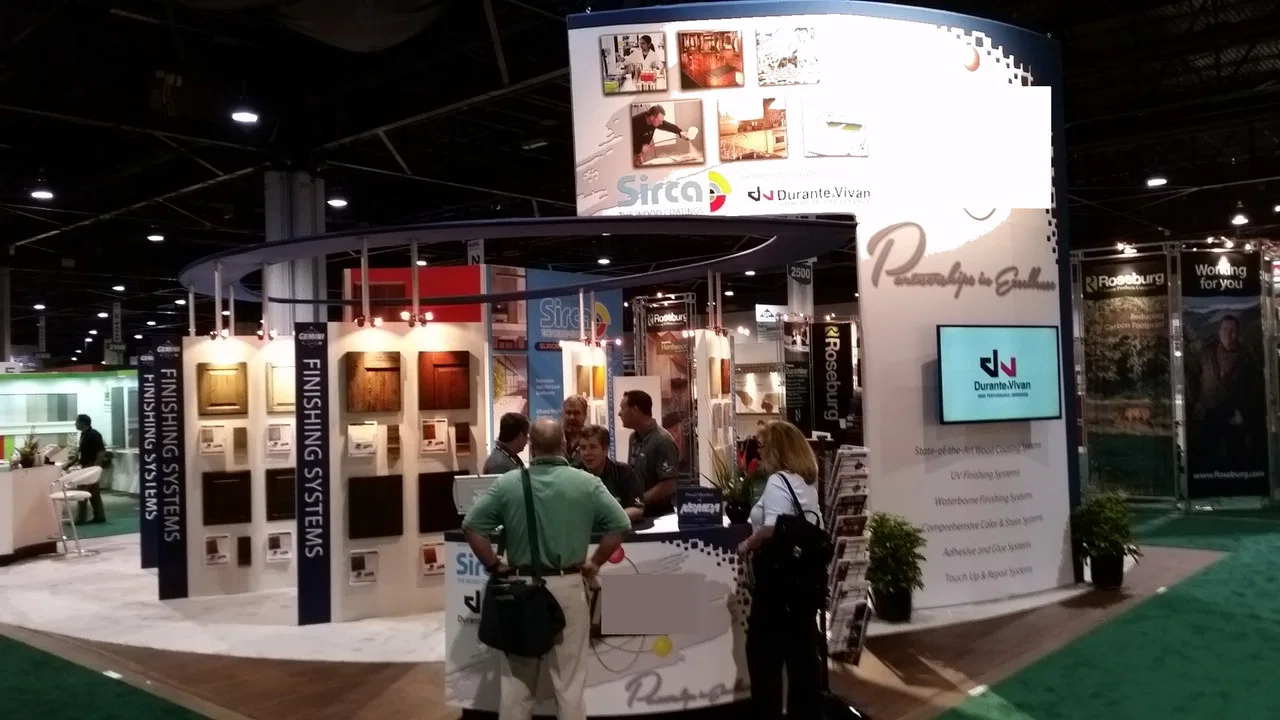
Portable displays for publishers, lab equipment makers and universities at the ASEE Conference and Exposition: wheeled cases, demo tables and quick setup.
Engineering faculty and department chairs walk an exhibit hall between sessions, so they stop for a few minutes and want to see a product working. Exhibitors at the ASEE Conference and Exposition are often publishers, lab equipment makers, software companies and university programs, and many of them bring a small team, a compact display and a demo that has to start the moment a professor walks up.
A display we plan for this sector is a portable setup that fits two wheeled cases. One case holds a tension fabric backwall, a fabric table throw and two light fixtures. The second case is padded inside and converts into a podium counter, and it carries a robotics lab kit and a laptop. Two people can stand the whole display without tools.
Why portable fits an academic show
Many education exhibitors attend several conferences each year and staff them with faculty liaisons or a small sales team. A display that travels as checked luggage or a small freight shipment keeps costs down and lets the same team set it up in a convention hall, a hotel ballroom or a campus event.
- The backwall frame folds into a single bag inside the first case.
- The fabric graphic stays attached to the frame, so setup is a matter of expanding and locking it.
- The podium case has a printed wrap and a shelf for brochures and course materials.
- Light fixtures clip to the frame and run from a single power strip.
Formats like this are described on our portable display systems page.
Demo tables for lab kits and software
A professor wants to see a sensor reading change or a robot arm move. We plan the table so the kit sits at the front edge, the laptop sits to one side facing the visitor and the cables run down the back leg to the power strip. Small parts go into a clear tray screwed to the table top so nothing walks away. A second chair behind the table lets a faculty liaison sit and talk through a course adoption.
If a larger demo needs a monitor, a screen on a floor stand can be arranged through AV partners or your own team; our AV rental for trade shows page explains how we schedule it.
Graphics that speak to faculty
Faculty read for course fit. The backwall works best with the program or product name, the courses it supports and one clear image of students using it. Small type belongs on handouts, not the wall. We set the graphic so the headline sits above the podium case and the image fills the center panel where it is still visible over a crowd.
Final artwork goes to print several weeks before the first show of the season so the fabric is sewn to the frame before shipping. More on files is on our exhibit graphics production page.
Standing the display by hand
- Open the first case, stand the frame and lock each section.
- Clip on the lights and route the power strip behind the frame.
- Convert the second case into the podium and set the table throw.
- Place the lab kit and laptop, start the demo and test it end to end.
We can send a crew to install the display on the first day, or train your staff once so they can run it alone at later shows. Our installation and dismantle page covers the crewed version.
Sending the right details
Share the booth size and number, whether you have a table in the space or need one, the lab kit or software you plan to demo and its power needs, and your artwork or brand guide. Tell us how your team travels between conferences, by car, checked bags or freight, so we size the cases to match. We then write the part list and send packing photos for each case.
From campus to the Atlanta hall
University programs often ship the display cases from campus while a faculty liaison flies in with the demo kit as a carry-on. We plan both routes. The cases go to the hall or the advance warehouse with labels showing the booth number, and the kit travels in its own padded bag. When the cases reach the Atlanta floor, the install crew stages them in the booth so the liaison only has to unpack the kit and start the demo between sessions.
Packing out between sessions
Teardown takes about as long as setup. The demo kit goes into its foam inserts first, then the lights come off and the frame collapses into its bag with the fabric still attached. The podium case closes over the brochures and the table throw. Both cases are checked against the packing photos before the team leaves the hall, and anything shipped onward follows the plan on our expo logistics and shipping page.
Questions Exhibitors Ask
Can two people really set up the display?
Yes. The frame expands and locks by hand, and the podium case converts without tools. We send packing and setup photos with the display.
Can the display fit a tabletop space?
Yes. The backwall comes in shorter widths, and the same podium case works beside a draped table.
Will a robotics demo run on hall power?
Usually it runs from a single outlet ordered with your space. We list every device on the power plan so the order covers the laptop, the kit and the lights.
Can the display be stored between conferences?
Yes. The two cases can return to your office or go into storage, and we keep the packing photos on file for the next show.
Send the show, venue and booth details
Call (404) 963-0416 or send the show, the hall and your booth number and we will plan the display, the install and the teardown.